Note!
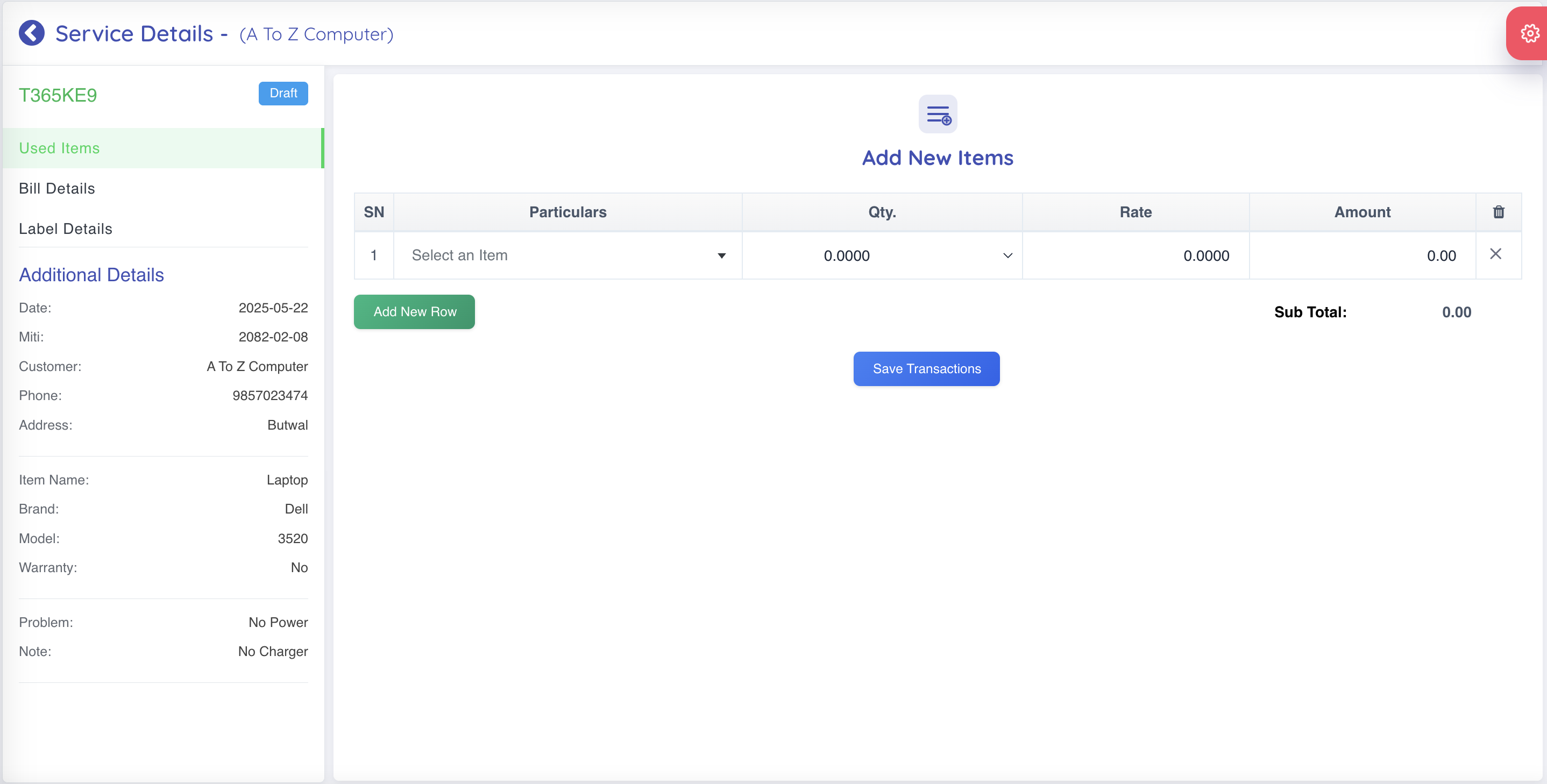
- Below is the screenshot of the New Service page.
Note!
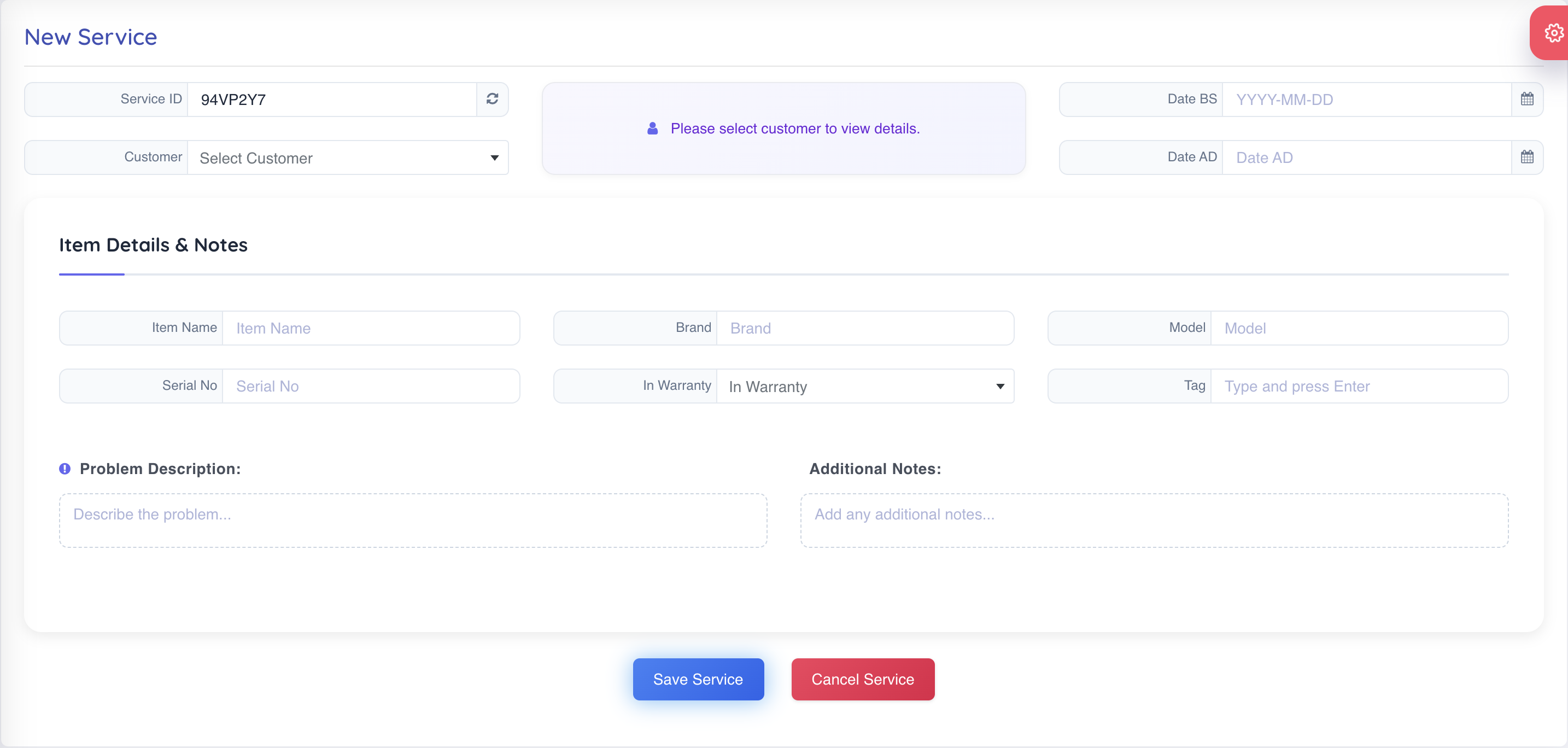
- Service List is shown here.
- You can add new service by clicking on the "Add New Service" button.
- You can edit the service by clicking on the "Edit" button.
- You can delete the service by clicking on the "Delete" button.
- You can view the details of the service by clicking on the "View" button. and serviceid
- You can print the service by clicking on the "Print" button.
- You can search the service by using the search box.
Note!
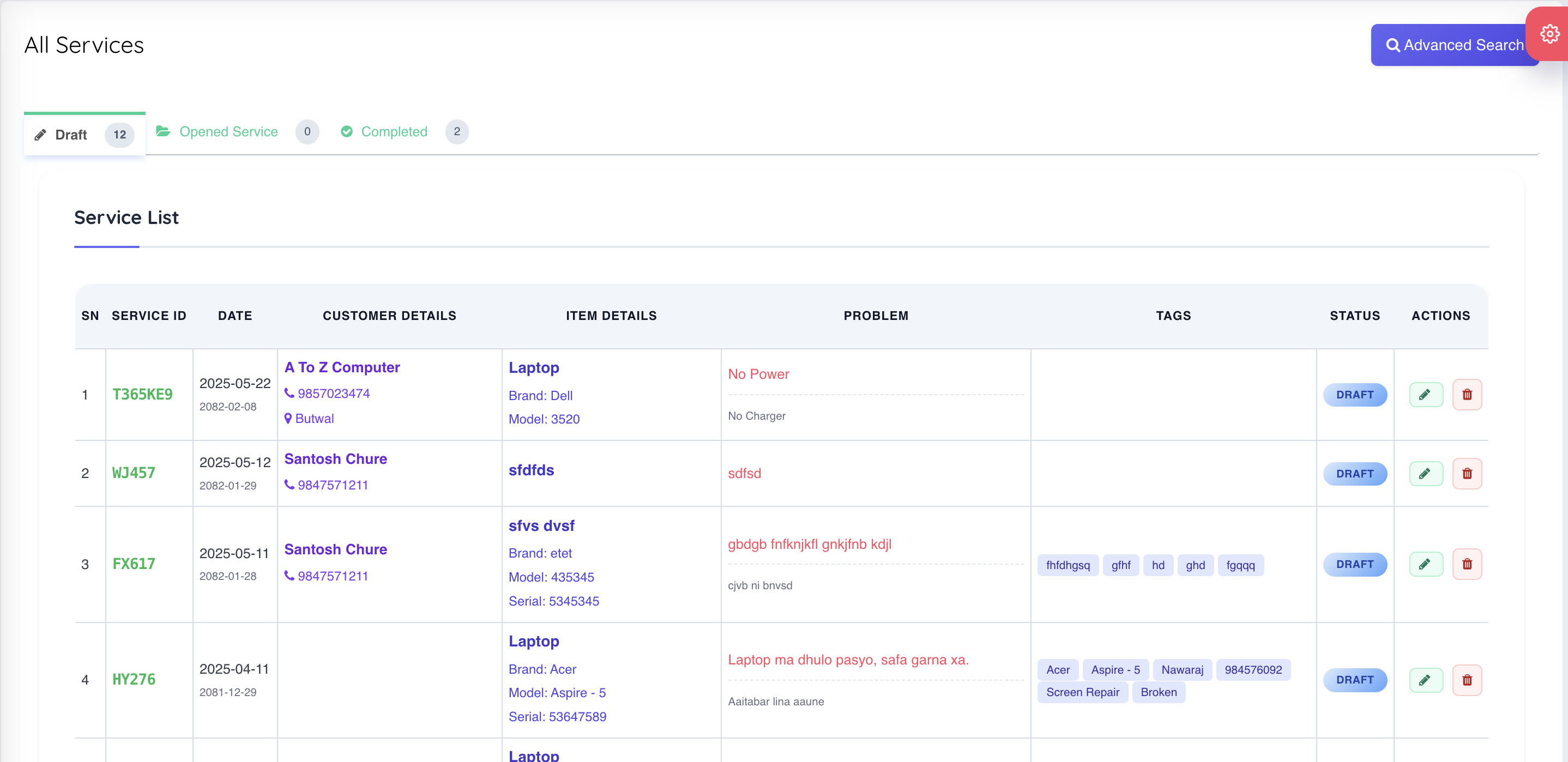
- Service Details is shown here.
- You can print label for service by clicking on the "Label Details".
- You can add items and service details and save
- Generate Service Bill
- Add Details in this page.